Pose: AI Video Maker, AI Photo
SPARK DYNAMICS YAZILIM HIZMETLERI LIMITED SIRKETIPhotography
4.411.47K Reviews
- Version
- 1.4.5
- Installs
- 1.00M
- Age Rating
- Everyone
Screenshots
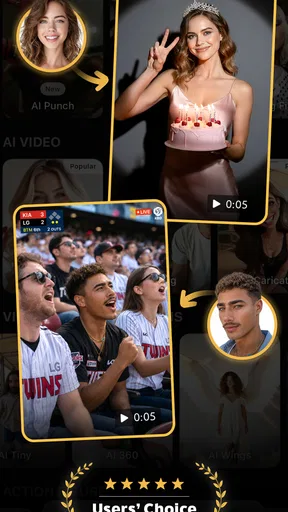
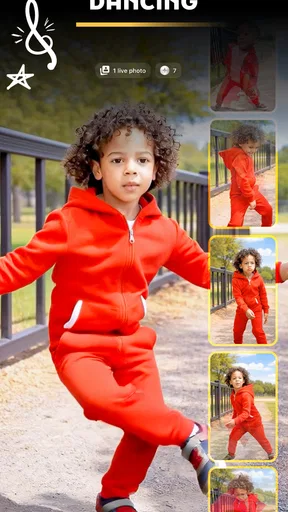
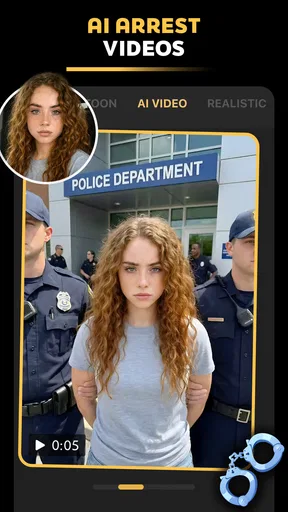
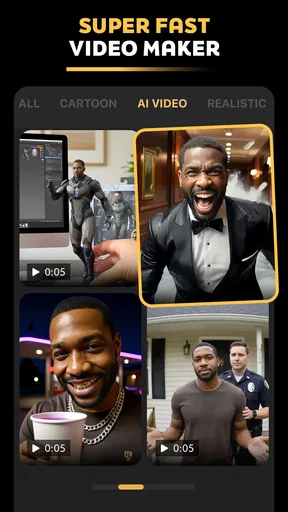
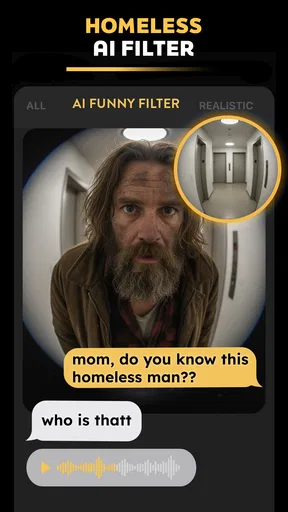
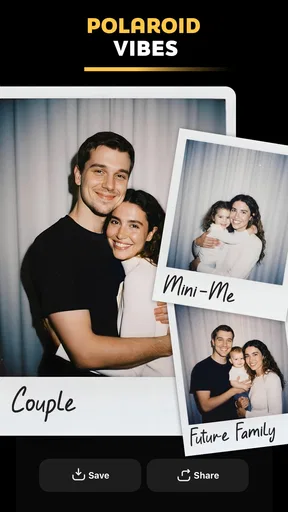
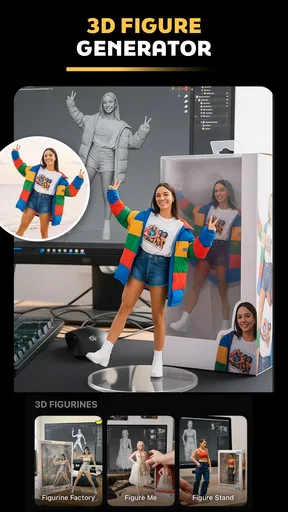
Our Review of Pose: AI Video Maker, AI Photo
 Analysis by Appyee
I often judge photo apps by what they help me make in the few minutes I actually have, rather than by how many editing controls they can fit on a screen. Pose: AI Video Maker, AI Photo has a clear creative draw: it can turn a still image into an animated clip. That makes it less of a replacement for a traditional photo editor and more of a quick way to give a familiar picture a new, shareable form.
Why still-photo animation is the central attraction
A still portrait can be lovely, but it can also get lost in a feed full of images. Animation gives the same source photo a different kind of presence, which is useful when I want a post to feel more lively without filming anything. The appeal is immediate: I choose a picture, let the app process it, and get a moving interpretation rather than another static edit.
That convenience comes with an important creative trade-off. An AI animation is a generated effect, not a recording of what happened in real life. I’d use it for playful posts, greetings, or an amusing transformation, but I wouldn’t present the result as documentary footage. The original photo still matters: a clear, well-framed subject gives the effect a better starting point than a crowded image where the person is small or partly obscured.
Making a result that feels intentional
My practical advice is to decide what the image is for before opening the editor. A portrait meant for a quick joke can tolerate a more noticeable transformation; a family picture or profile image may call for a subtler treatment. Keeping that purpose in mind helps me avoid generating an effect just because it is available, then discovering it doesn’t suit the person or moment.
I’d also set aside a moment to compare the animated result with the original before sharing. AI effects can change the feel of a face or pose, and the most eye-catching version isn’t always the one that looks most like the person. If the result feels distracting, I’d switch to a simpler image or a less dramatic treatment rather than trying to rescue it with extra edits.
A realistic use is turning a favorite portrait into a short social post when I don’t have new footage to share. Another is making a lighthearted birthday greeting from a photo a friend already likes. In both cases, I can keep the source image and the intended audience in mind: a playful animation may work among friends while feeling out of place in a polished work presentation.
Unleashing Creativity with AI
First things first, let’s talk about what Pose: AI Video Maker, AI Photo actually does. It’s basically a creative powerhouse that uses artificial intelligence to transform your ordinary photos and videos into something extraordinary. The app offers a variety of filters, effects, and editing tools that are super easy to use. Even if you’re not a pro at editing, this app makes you feel like one!
One of the coolest things I found while exploring the app is its ability to generate animations from still photos. You simply upload a photo, and the AI works its magic to create a dynamic, animated version. It’s like your pictures come to life!
Features That Stand Out
Alright, let’s dive into some of the features that make this app a must-try:
- AI-Powered Filters: These aren’t your run-of-the-mill filters. They’re designed to enhance your images in subtle yet powerful ways, giving them a professional touch.
- Video Editing Tools: Whether you’re looking to splice together clips or add some cool effects, the tools are intuitive and versatile.
- Animation Magic: As I mentioned earlier, turning still photos into animations is a breeze. It’s perfect for social media posts that stand out.
- User-Friendly Interface: The layout is clean and straightforward, which means you won’t be fumbling around trying to find what you need.
Getting Started
Getting started with the app is a piece of cake. Once you download and install it, you’re greeted with a simple tutorial that walks you through the basics. It’s like having a friendly guide showing you around, so you don’t feel lost.
One thing I really appreciate is how the app doesn’t bombard you with ads. You can focus on your creativity without constant interruptions. Plus, the basic version offers a lot of features for free, but there’s also a premium option if you want to unlock even more goodies.
Choosing it over a standard editor
For me, the useful comparison is with a conventional photo-editing app. A standard editor is usually the better pick when I want precise control over cropping, color, retouching, or a consistent look across a batch of images. Pose is more appealing when the goal is a quick AI-led transformation that makes one image feel like a small piece of entertainment. Those are different jobs, so I wouldn’t choose it expecting the detailed manual controls of a dedicated editing suite.
It also occupies a different niche from simply recording a short video. Filming is the better choice when the moment itself matters, such as capturing a child’s real dance or a pet’s actual antics. An animation made from a still image is useful when I have no footage, or when I want a stylized result rather than a faithful record. Thinking about that distinction before creating helps set expectations and avoids treating an effect as a substitute for a real memory.
Where the workflow can snag
The easiest source image to work with is one where the main subject is obvious and has enough room around it. I’d avoid starting with a tiny face in a group shot, a photo with several people overlapping, or an image where the subject is partly covered. That isn’t a special setting or a guaranteed recipe; it’s a sensible way to give an image-based effect a cleaner starting point and reduce the chance that the result feels visually confusing.
There’s also a difference between making something and making something ready to publish. A generated clip may need a quick check for framing, tone, and whether the movement suits the context. I wouldn’t plan a time-sensitive post around an effect I haven’t tried yet. If the result is meant for a particular platform or audience, I’d create it early enough to review it calmly instead of rushing straight from generation to sharing.
People often wonder whether they can use the app without paying. It is free to download, and it offers in-app purchases, with individual items priced from $7.99 to $69.99. I’d start with the free experience and decide whether the available tools fit my routine before spending anything. The paid options may matter to someone who uses the app regularly, but a person who only wants an occasional animated portrait should first see whether the basic offering is enough.
Who will get the most from it
This is a natural fit for casual creators who like experimenting with portraits, want a quick visual novelty, or need an easy way to make a post feel different without learning a complex editing workflow. It may also suit someone who enjoys trying AI effects for fun and is comfortable reviewing the result rather than expecting every transformation to look perfectly natural.
I’d steer away from it if the main need is careful professional retouching, repeatable brand styling, or faithful video capture. It is also not the tool I’d reach for when a post depends on exact control over every movement or detail. In those cases, a manual editor or an actual camera recording gives more predictable results. AI-assisted creativity is appealing precisely because it does some of the interpretive work, but that means the creator gives up some direct control.
My Personal Take
Personally, I’m a fan of how Pose makes editing feel fun and accessible. It’s not just for tech-savvy folks but for anyone who wants to add a bit of flair to their visual content. Whether you’re sharing photos with friends or crafting content for your followers, this app has got you covered.
The AI aspect is what sets it apart. It’s not just about slapping on a filter; it’s about enhancing your content in ways that feel modern and fresh. I’ve found myself going back to the app just to play around with different features and see what new creations I can come up with.
A quick fit check before installing
Pose is a photography app from M2R Teknoloji Anonim Sirketi, and it has a 4.5 average from around 21,000 ratings. More than 500,000 people have installed it. It is free to download, rated for Everyone, and its current version is 1.3.12. Those details make it approachable for a broad audience, but the best reason to try it is still practical: you want to turn photos into playful visual content, not replace a full editing setup.
If I were helping a friend decide, I’d ask what they want to make next week, not whether they need another app in general. Someone with a few favorite portraits and an interest in sharing animated experiments has a clear reason to give it a try. Someone who mainly wants to straighten, crop, and color-correct travel photos may be happier with a conventional editor that keeps those tasks front and center.
Final Thoughts
So, is Pose worth a try? I’d say absolutely! It’s a fun, innovative tool that brings a lot to the table, especially if you love expressing yourself through visuals. Whether you’re a seasoned content creator or just someone who likes to dabble in photo editing, this app has something to offer.
Why not give it a whirl? You might just find yourself hooked on the endless creative possibilities.
Verdict
Strengths of Pose: AI Video Maker, AI Photo
- User-friendly interface for easy navigation.
- High-quality AI-generated videos and photos.
- Wide range of templates and styles available.
- Regular updates with new features.
- Supports high-resolution exports.
Limitations of Pose: AI Video Maker, AI Photo
- Requires a stable internet connection.
- Limited features in the free version.
- Occasional in-app advertisements.
- Might lag on older devices.
- Subscription model for premium features.
Other Releases by SPARK DYNAMICS YAZILIM HIZMETLERI LIMITED SIRKETI
View All
AI Photo Studio & Hair Styler
Photography3.5
Similar Picks in This Category
View All
Google Photos
Google LLC4.4

Gallery
Google LLC4.2

Picsart AI Photo Editor, Video
PicsArt, Inc.3.9

B612 AI Photo&Video Editor
SNOW Corporation4.1

BeautyPlus-Selfie Photo Editor
PIXOCIAL TECHNOLOGY (SINGAPORE) PTE. LTD.4.5

Remini - AI Photo Enhancer
Bending Spoons4.1
Frequently Asked Questions
What is Pose: AI Video Maker, AI Photo used for?
Pose: AI Video Maker, AI Photo is an innovative application designed to enhance your creative projects using advanced AI technology. It allows users to create stunning videos and photos with unique effects and filters. Whether you're a content creator or just someone who loves to experiment with visuals, this app provides tools to transform ordinary media into extraordinary art.
Is Pose: AI Video Maker, AI Photo free to use?
The app offers a free version with basic features that allow you to explore its capabilities. However, to unlock premium filters, effects, and tools, a subscription or one-time purchase may be required. This enables users to access the full potential of the app for professional-quality results.
What devices are compatible with Pose: AI Video Maker, AI Photo?
Pose: AI Video Maker, AI Photo is available for both Android and iOS devices. It supports a wide range of smartphones and tablets, ensuring that most users can enjoy its features. Always check the app's compatibility with your device's version of iOS or Android to ensure optimal performance.
How user-friendly is Pose: AI Video Maker, AI Photo?
The app is designed with an intuitive interface that caters to both beginners and experienced users. With easy navigation and straightforward tools, users can quickly learn to apply filters, edit videos, and enhance photos. Tutorials and customer support are also available to assist with any difficulties.
Can I share my creations directly from Pose: AI Video Maker, AI Photo?
Yes, Pose: AI Video Maker, AI Photo allows users to share their edited videos and photos directly to social media platforms like Instagram, Facebook, and TikTok. This feature makes it convenient to showcase your creativity and engage with your audience without leaving the app.
